01
Independent store launches
Create an on-model image for a new T-shirt, dress, or hoodie without coordinating a photographer, studio, and adult model.
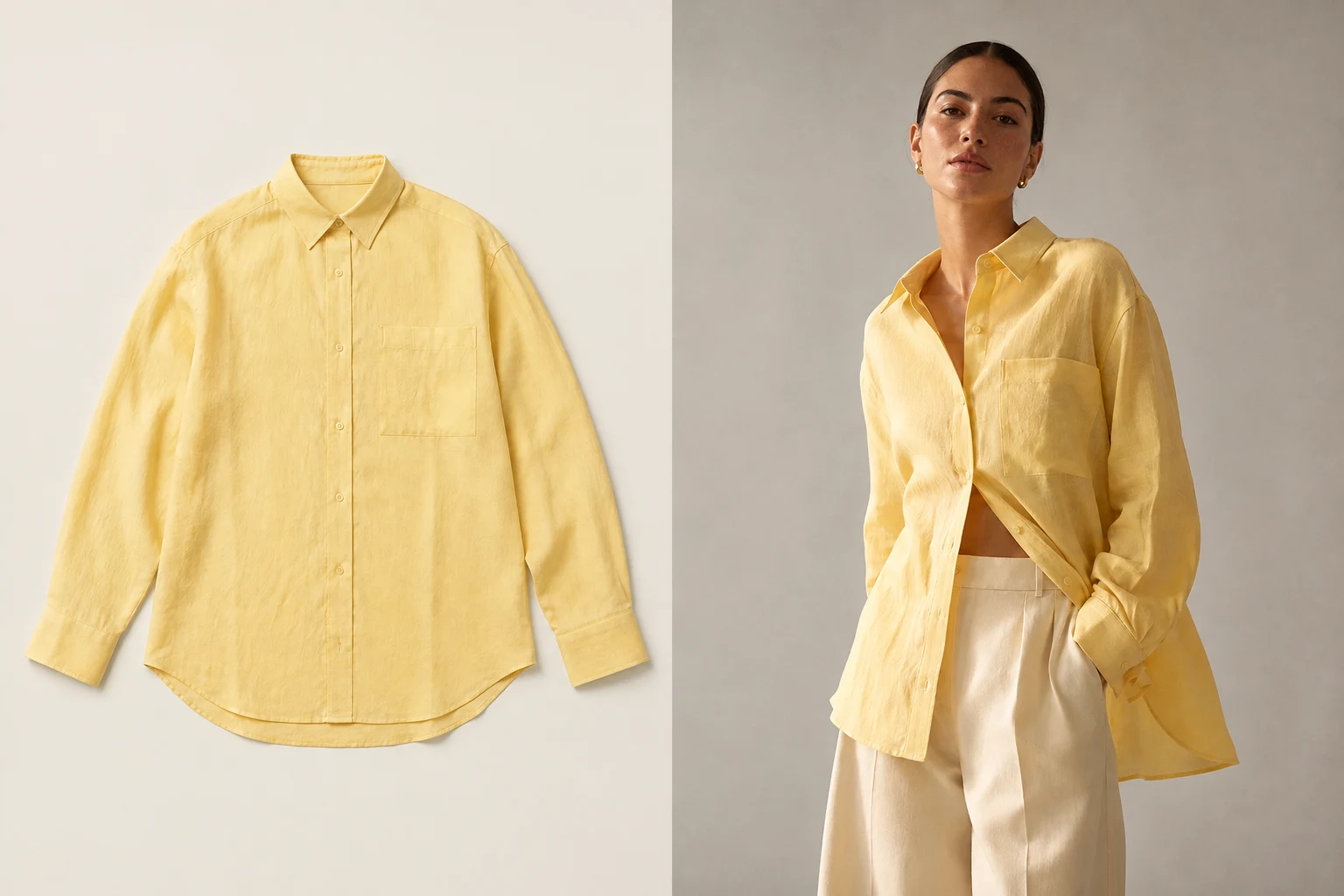
One product photo in, one model image out
Use an AI model photoshoot to move from one clothing product photo to one finished model image. Choose the adult storefront model, photo shape and resolution in one focused workflow.
No prompt writing · 24 adult AI models · original image downloads
 Open full-size illustration
One product, several storefront directions
The workflow begins with a real garment photo and a model choice, not a blank prompt. Create one finished image, then inspect the clothing before downloading it for your store.
Built for real listing work
01
Create an on-model image for a new T-shirt, dress, or hoodie without coordinating a photographer, studio, and adult model.
02
Choose the same storefront model across related SKUs so the catalog feels intentional even when product sources come from different suppliers.
03
Choose the aspect ratio and resolution before creating, review the garment, then download the original file.
Upload one clean product photo
Choose an adult AI model
Create, check, and download your product image
01
Start with the same source formats you already receive from suppliers, choose an adult model, and review the finished image against the garment. Reuse the workflow whenever another SKU needs an on-model listing image.
02
Upload one product photo, select one model, choose the photo shape and resolution, and create a finished image. There is no prompt-writing step or separate result workflow to learn.
03
Select from 24 adult AI models when you create each image. Reusing one model can give related products a more consistent presentation; You can create a private reusable model for a distinct brand look.
04
Compare the finished image with the original source before publication. Check color, graphics, logos, neckline, sleeves, fasteners, pockets, hem, length, and proportions—the real product remains the final source of truth.
What you receive
Choose the photo shape, resolution and format before generating. Review the finished image against the real garment before publishing.
Every plan downloads the original generated file.
Images we cannot create are not charged.
Private files are retained for up to 90 days unless deleted earlier.
No. The built-in library contains adult AI-created people only. Celebrity likenesses and face-copying requests are prohibited.
You aren’t charged for an image we can’t create. You can adjust the source photo and try again.
No. The main workflow starts with your real garment source and a selected storefront model. It does not ask you to invent the product with text.
Use a flat lay, ghost mannequin, hanging garment, or clean white-background product photo in JPG, PNG, or WEBP format up to 15MB.
Choose from one to six photos per photoshoot. Each finished product image uses 10 credits, and images we cannot create are not charged.
Yes. Save your model, scene and photo settings, then apply that setup when you add the next product. Each photoshoot keeps its own product references and results.
Create your next listing image
Upload one product photo, choose the adult model that fits your storefront, and download the reviewed result at its generated size.
Create a model photoshoot