What on model photography shows
On model photography presents a garment on a person rather than on a surface or an invisible support. It can help explain how pieces combine, where a hem sits in a particular pose and how the outfit is styled. Those observations apply to that image and that wearer—not to every customer’s body.
A seller still needs accurate measurements, material information and product detail photos. A model image can conceal a closure behind a hand or hide the back of a garment. Plan the rest of the image set around the questions the hero image leaves unanswered.
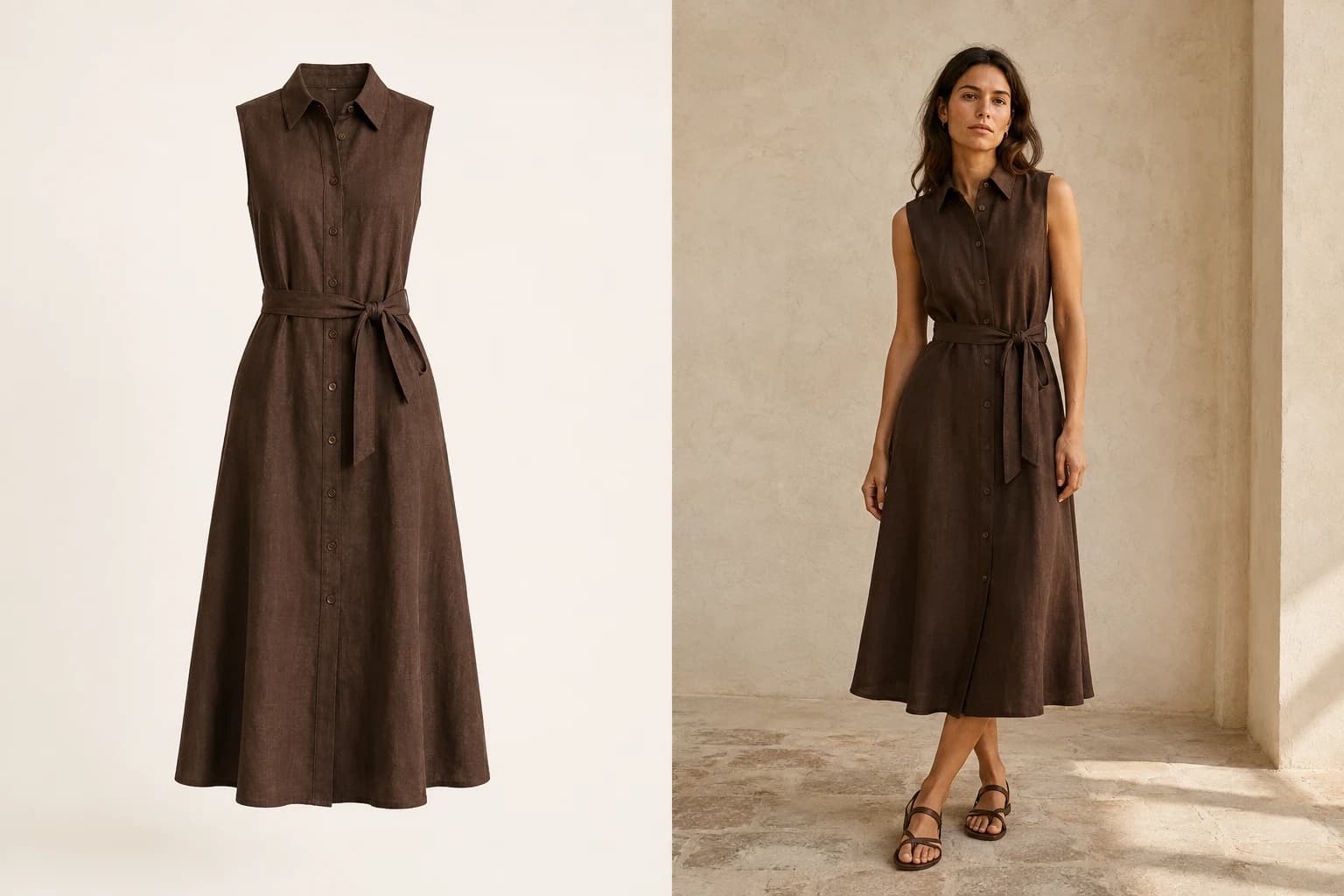
Flat lay, ghost mannequin or on-model?
| Presentation | Useful for | What it cannot establish |
|---|---|---|
| Flat lay | Visible outline, print placement and a clean front or back reference. | How the garment behaves on a moving body. |
| Ghost mannequin | A shaped product view without a visible person. | Real customer fit or movement; support and retouching affect the silhouette. |
| On-model | Wearing context, outfit combinations and a styled presentation. | Universal sizing or details concealed by the pose. |
On model photography and product-only views work together. You might lead with an on-model image and follow it with a front reference, a back view and close-ups. For a garment with a detailed graphic, the clear product view may deserve the first position instead. Check the destination marketplace’s rules before choosing the hero image.
Choose a starting point from your source
- You only have a garment on a surface: prepare a complete source and consider flat lay to model for an additional generated wearing view.
- You have a finished mannequin product photo: the mannequin-to-model explanation covers using that photo as an input. This is different from removing a person to make a ghost mannequin image.
- You have an authorized photo with an adult model: consider Model Swap if the existing pose and composition are useful and the task is to change the person.
- You need evidence of real movement or physical fit: photograph a real garment on a real wearer and include the relevant measurements. Generated presentation cannot supply that evidence.
Do not manufacture a new workflow just because a keyword sounds attractive. Start with the actual material you have permission to use, the buyer’s question and the information missing from your listing.
Real photography and AI presentation are different
A camera records a physical arrangement, although lighting, styling, lens choice and editing still influence how it appears. An AI-generated on-model image synthesizes an appearance from references. It can invent a fold, redraw a graphic or change proportions even when the input is clear.
In ModelSnap, selecting the same model and saved photo settings lets you reuse a setup. It does not promise identical pixels, poses, backgrounds or garment details across products. Review each result rather than treating an accepted image from one item as approval for the next.
The ordinary product workflow and model replacement also have different inputs. A product-only photograph belongs in the product-to-model workflow; a photo already containing a person belongs in Model Swap when you have the necessary rights. Replacing a model does not remove the obligation to obtain those rights.
Review the image set, not just the hero
- Compare the neckline, sleeve length, closures, seams and hem with the original.
- Zoom in on logos, lettering, repeated patterns and fine texture.
- Check whether pose, hair or hands hide information a customer needs.
- Confirm that detail views and the generated image describe the same item.
- Reject misleading outputs; provide real photos or retake the source when needed.
For on model photography, explain dimensions and fit using real measurements, not an inference from an AI body. Keep the original files so the person reviewing a listing can trace the image back to the garment. For an end-to-end preparation process, follow how to photograph clothes for sale.